
How to Achieve the Embroidery Effect with UV DTF Printer
1. What is a UV DTF Printer?
The UV DTF Printer, short for UV Direct-to-Film Printer, is a new type of digital printing device that combines UV curing technology and DTF (Direct Transfer Printing) technology. The key feature is printing onto a specialized transfer film first, and then transferring it onto the target material, rather than printing directly onto the substrate.
It is an upgraded combination of traditional UV printers and regular DTF printers, specifically designed to address the industry's pain points of printing on "difficult materials" and "irregular surfaces." It is highly suitable for personalized customization and small-batch production scenarios, and is a popular, high-value model in industrial equipment foreign trade.
2. How to Achieve the Embroidery Effect with UV DTF Printer?
The core principle behind achieving the imitation embroidery effect (commonly referred to as "3D Embroidery Simulation") with a UV DTF Printer is through the multi-layer stacking of white ink combined with UV varnish to enhance texture. This simulates the three-dimensional raised texture, layered detail, and matte/glossy finish of embroidery, without requiring actual embroidery equipment. This process can reproduce both the visual and tactile effects of embroidery on any material.
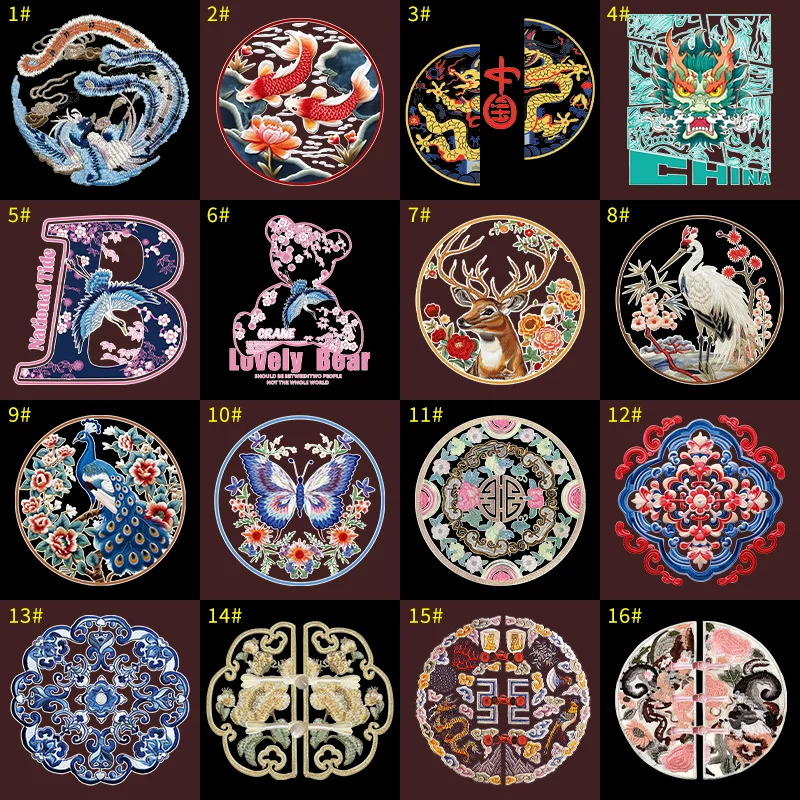
Process of Achieving Imitation Embroidery Effect with UV DTF Printer:
2.1 Core Prerequisites: Equipment and Materials
To achieve the imitation embroidery effect, the UV DTF Printer needs to meet the following basic conditions, with material selection being critical:
-
Equipment Requirements: The printer must be equipped with independent white ink and varnish channels (both are essential), and support multi-layer printing (some entry-level models require enabling "embossing mode").
-
Material Requirements:
-
Transfer Film: High-viscosity UV DTF specialized cold transfer film (thickness ≥150μm, strong load-bearing capacity, not easily stretched or deformed).
-
Ink: High-concentration white ink (for stacking raised areas) and matte UV varnish (recommended for a closer match to the matte texture of embroidery; gloss varnish can be used for shiny embroidery effects).
-
Auxiliary Tools: Laminating machine (manual or pneumatic, adjustable pressure), squeegee, high-temperature tape (for fixing the transfer film).
-
2.2 Step 1: Pre-design — The Core of the Imitation Embroidery Effect (Determining the Final Texture)
The design stage needs to emphasize "the texture and three-dimensionality of embroidery," avoiding a flat design. Software like AI, CDR, or Photoshop is recommended: